Chrome Extension · Free · 4.3★
Export any YouTube transcript in one click.
Stop copying transcript text line by line. YT Transcript Exporter exports the full transcript of any YouTube video as PDF, DOCX, Markdown, or plain text — free Chrome extension.
Free · No account · 4.3★ Chrome Web Store
What you get
How it works
Install in under 10 seconds
Find YT Transcript Exporter on the Chrome Web Store, click Add to Chrome. No configuration, no permissions beyond YouTube access.
Open any YouTube video
Navigate to any YouTube video. The extension detects the transcript automatically and shows the export button — no setup required.
Export in your preferred format
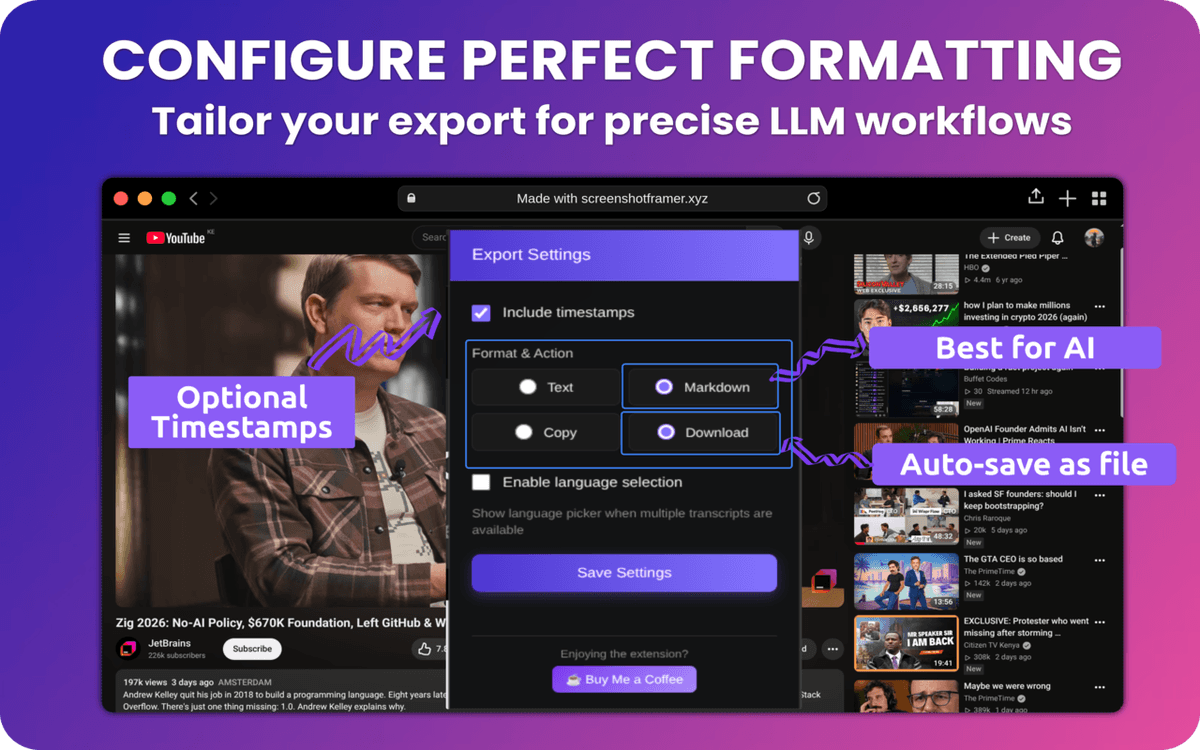
Click once to export: PDF for sharing, DOCX for editing, Markdown for notes, or plain text for anything else. Full transcript, no truncation.
Export your first transcript in under a minute.
Free extension. Works on every YouTube video. No account required.
Add to Chrome — FreeFree · No account · Works immediately